How It Works
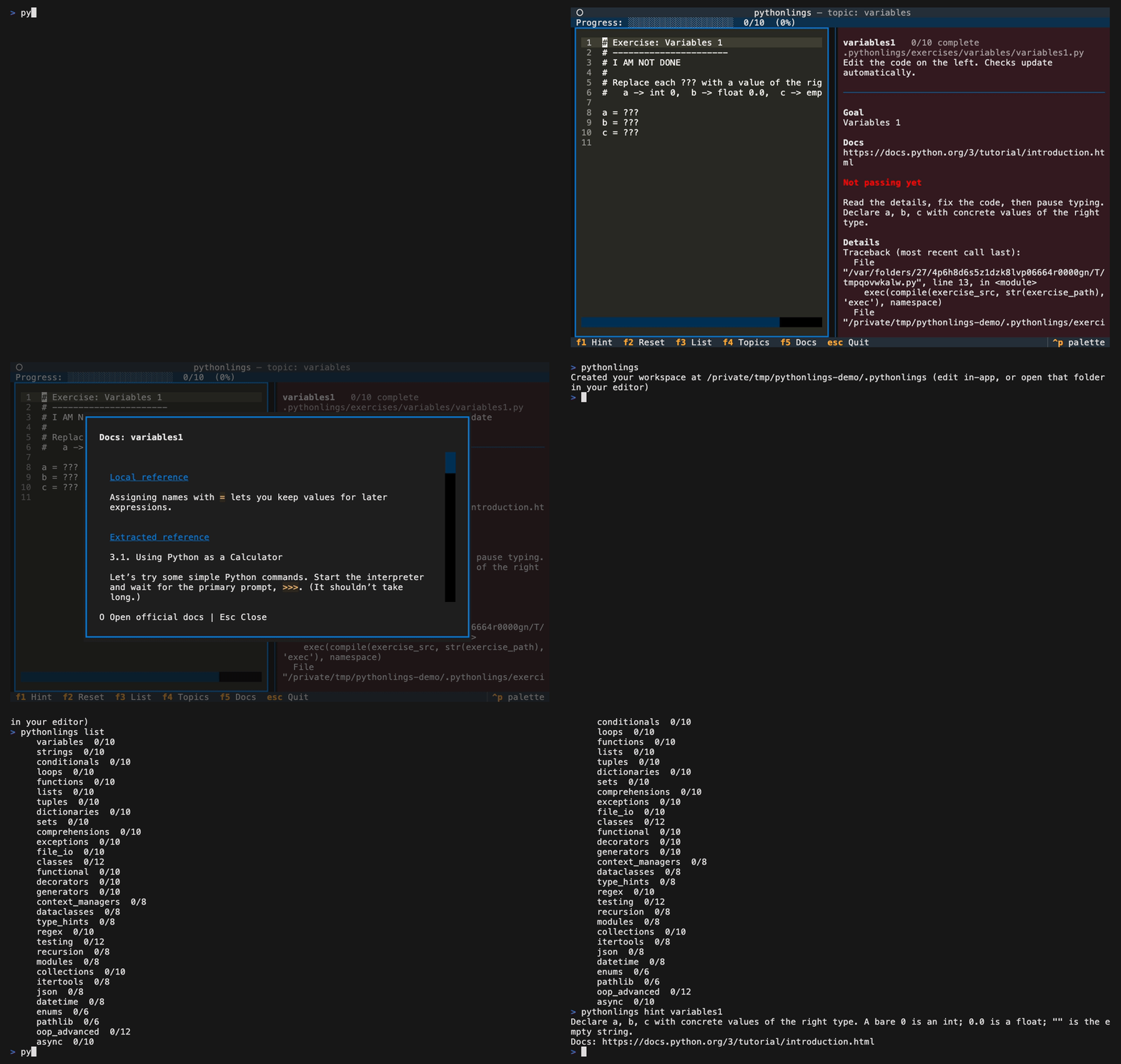
Pythonlings follows a tight edit-check-advance loop. Here is what happens at each step.
The Learner Loop
- Open the next pending exercise — the TUI shows the first incomplete exercise in the curriculum.
- Edit the broken code — fix the intentional mistake directly in the built-in editor (or any external editor you prefer).
- Checks rerun automatically — roughly 0.6 s after you stop typing, Pythonlings re-evaluates the exercise in a fresh subprocess. There is no filesystem watcher; the debounce fires inside the TUI editor.
- Remove the
# I AM NOT DONEmarker — the marker is your explicit "I'm finished" signal. Passing checks alone does not advance the exercise (see below). - Advance — once checks are green and the marker is gone, the exercise is marked complete and the TUI moves to the next one.
The # I AM NOT DONE Marker
Every exercise file begins with the comment:
You must delete this line to finish the exercise. This is intentional: it prevents an accidental fix (or a pre-written solution) from silently skipping an exercise before you have thought it through. The marker is your deliberate "I understand this and I'm moving on" confirmation.
Worked Example
Broken exercise (exercises/variables/variables1.py):
The hidden check (checks/variables/variables1.py) does something like:
Running with the code above, the check fails. Fix the exercise:
Fixed exercise:
Note that # I AM NOT DONE has been removed. Now the check passes and the marker is gone, so Pythonlings marks variables1 complete and opens the next exercise.
How Checks Run
Pythonlings generates a tiny runner script that exec()s your exercise source, then the hidden check source, in a shared namespace inside a fresh subprocess (5 s timeout). Because the check runs in the same namespace as the exercise, it can inspect any variable you set — that is why checks are bare assert statements rather than a pytest file.
Where Progress Is Stored
Progress lives in your learner workspace, not in the Pythonlings package:
The file is written atomically (write to a temp file, then rename), and a .bak copy is kept so Pythonlings can recover if state.json is ever corrupted. The workspace itself is created by pythonlings init.